 79269cdfd5
* Initial support for handling available sessions

* Displaying sessions in drop down, send session name in start profiling request

* More support for starting existing sessions

* New session dialog and session templates in user files

* Create profiler dialog and session templates

* Preliminary session template changes

* Saving some changes

* Send session templates when creating sessions

* Saving changes

* UI Fixes for dialog

* Formatting fixes

* removing comments

* Fixing PR comments

* bumping toolsservice and dataprotocolclient versions

* Fixing starting existing sessions
SQL Server Profiler for SQL Operations Studio
Welcome to the SQL Server Profiler for SQL Operations Studio! The SQL Server Profiler extension provides a simple SQL Server tracing solution similar to SSMS Profiler except built using XEvents. SSMS Profiler is very easy to use and has good default values for the most common tracing configurations. The UX is optimized for browsing through events and viewing the associated T-SQL text. The SQL Server Profiler for SQL Operations Studio also assumes good default values for collecting T-SQL execution activities with an easy to use UX.
Common SQL Profiler use-cases taken from https://docs.microsoft.com/en-us/sql/tools/sql-server-profiler/sql-server-profiler.
- Stepping through problem queries to find the cause of the problem.
- Finding and diagnosing slow-running queries.
- Capturing the series of Transact-SQL statements that lead to a problem.
- Monitoring the performance of SQL Server to tune workloads.
- Correlating performance counters to diagnose problems.
SQL Server Profiler 0.1.1 Release
The SQL Server Profiler for SQL Operations Studio Preview extension is now available. This is the initial preview release for a new lightweight XEvent-based profiler. The SQL Server Profiler extension tries to make it simple to quickly trace server activity for troubleshooting and monitoring.
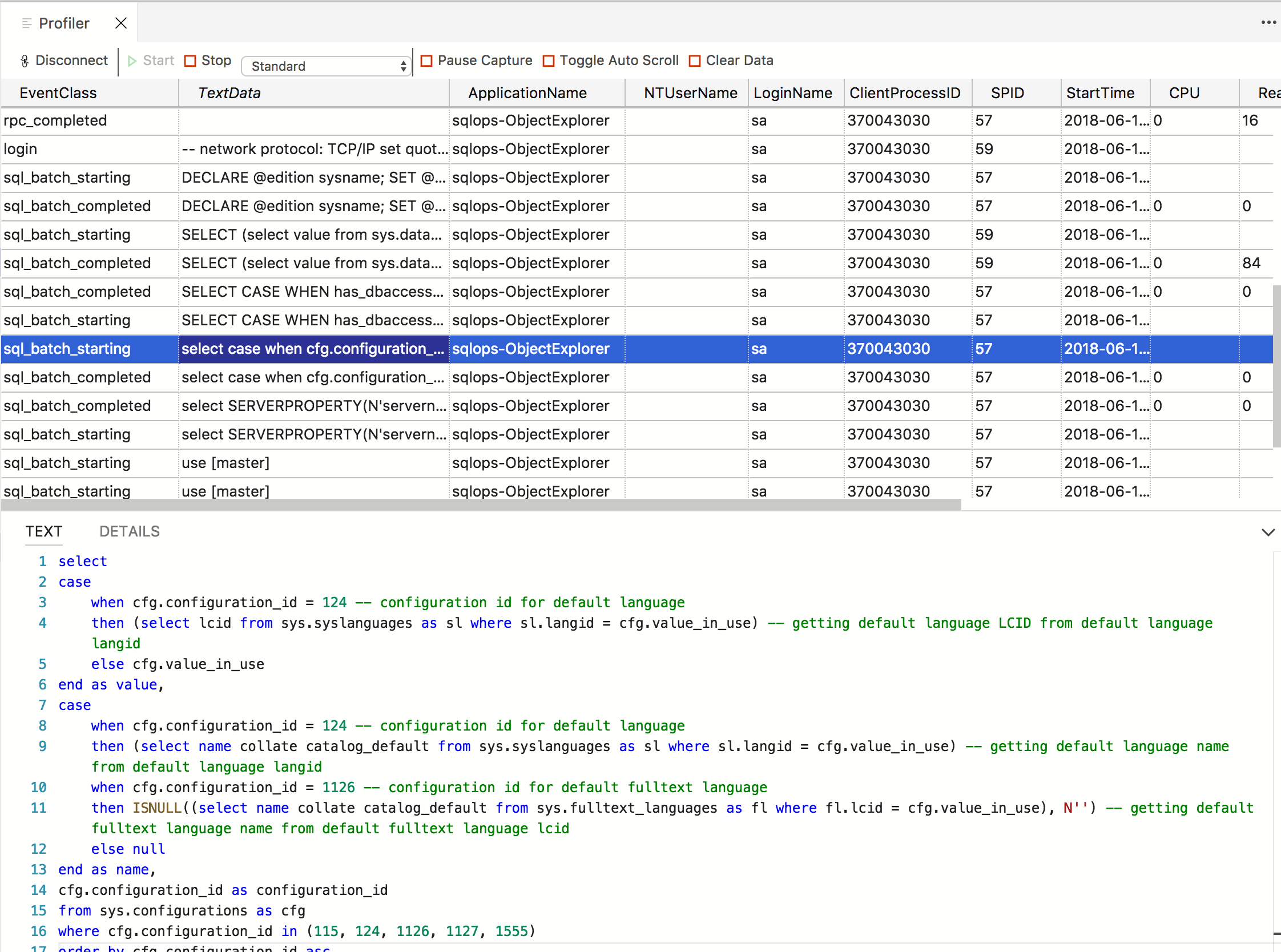
We'll continue to enhance this extension over the next couple releases. Take a look at the below screenshot to see what's currently available.
Code of Conduct
This project has adopted the Microsoft Open Source Code of Conduct. For more information see the Code of Conduct FAQ or contact opencode@microsoft.com with any additional questions or comments.
Privacy Statement
The Microsoft Enterprise and Developer Privacy Statement describes the privacy statement of this software.
License
Copyright (c) Microsoft Corporation. All rights reserved.
Licensed under the Source EULA.