
Query History (preview)
Adds a Query History panel for viewing and running past executed queries.
How do I view the history?
Query History is displayed as a tab in the tab panel, which is toggled by the View: Toggle Panel command.
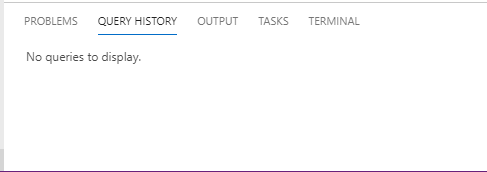
Initially this view will be empty but once you execute a query editor that will be captured in the window - with a separate row displayed for every query executed.

Each row consists of 4 parts :
- Status icon : This will be a ✔️ if the query executed successfully. If any errors occurred a ❌ is shown.
- Query Text : This is the text of the query that was executed
- Connection Info : The Server and Database the query was executed against
- Timestamp : The date and time the query was executed
Query History row actions
Right clicking on a history row will bring up a menu with a number of actions available.
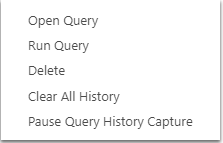
Open Query
This will open a new query editor window populated with the query text from the query executed and using the connection of that query.
Run Query
This will do the same thing as Open Query but will additionally run the statement immediately.
Delete
This will permanently delete the row from the view.
Code of Conduct
This project has adopted the Microsoft Open Source Code of Conduct. For more information see the Code of Conduct FAQ or contact opencode@microsoft.com with any additional questions or comments.
Privacy Statement
The Microsoft Enterprise and Developer Privacy Statement describes the privacy statement of this software.
License
Copyright (c) Microsoft Corporation. All rights reserved.
Licensed under the Source EULA.