 a2e34c4609
* add new articles to help section

* Update extensions/sql-migration/src/dashboard/sqlServerDashboard.ts

* fix typo, remove link

* remove locale in links

Co-authored-by: Mohamed Kabiruddin <39162740+mokabiru@users.noreply.github.com>
3.7 KiB
Azure SQL Migration
The Azure SQL Migration extension in Azure Data Studio brings together a simplified assessment and migration experience that delivers the following capabilities:
- A responsive user interface that provides an easy-to-navigate step-by-step wizard to deliver an integrated assessment and migration experience.
- An enhanced assessment engine that can assess SQL Server instances and identify databases that are ready for migration to Azure SQL Managed Instance or SQL Server on Azure Virtual Machines.
- A reliable Azure service powered by Azure Database Migration service that orchestrates data movement activities to deliver a seamless migration experience with minimal downtime.
- The ability to run migrations in either online (for migrations that require minimal downtime) or offline (for migrations where downtime persists through the duration of the migration) modes to suit your business requirements.
- The flexibility to create and configure a self-hosted integration runtime to provide your own compute for access to source SQL Server and backups in your on-premises environment.
Installation
From Azure Data Studio marketplace, install the latest version of “Azure SQL Migration” extension and launch the wizard as shown below.
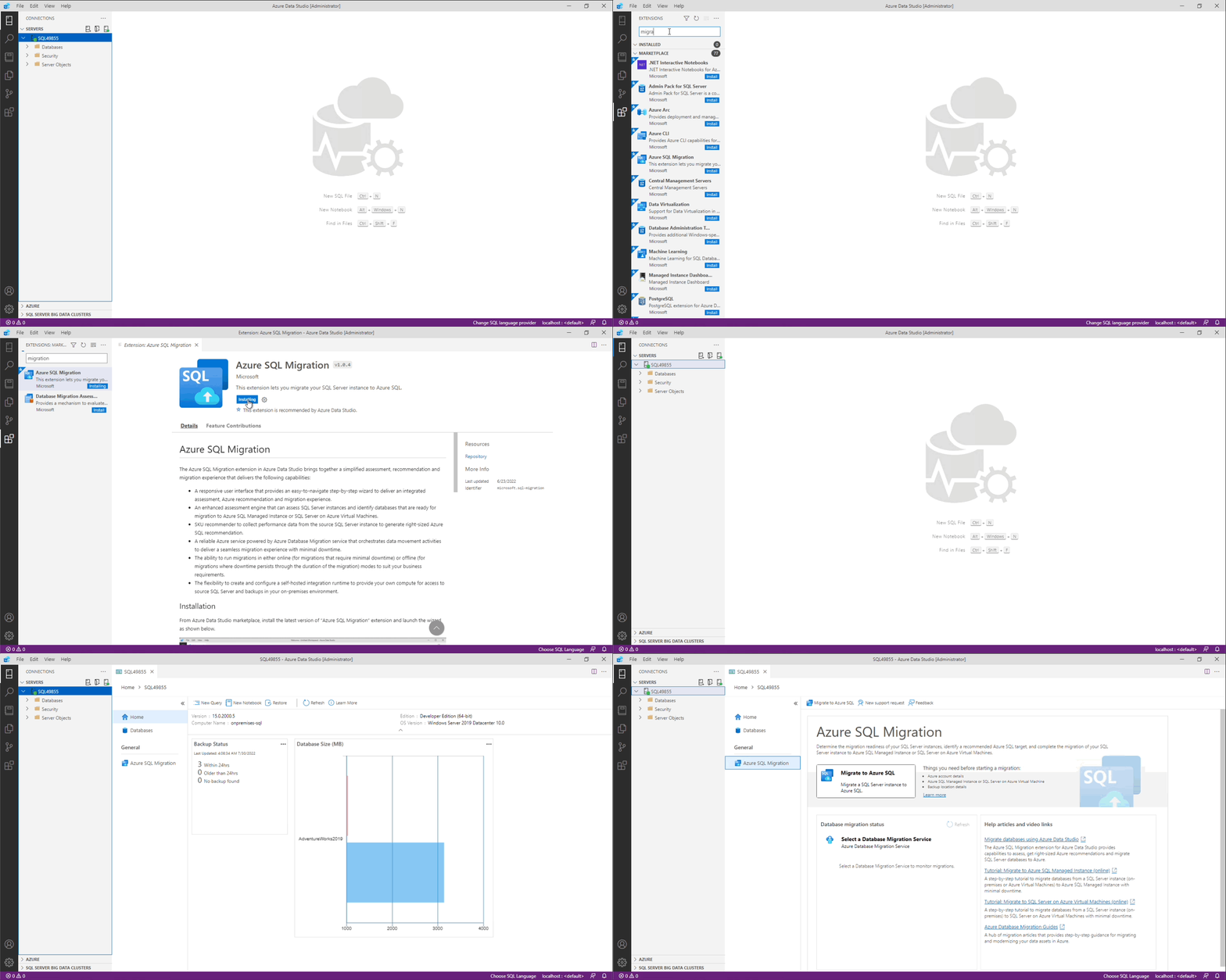
Things you need before starting Azure SQL migration
- an Azure account
- an Azure SQL Managed Instance or SQL Server on Azure Virtual Machine to migrate your database(s) to
- your database backup location details
Getting started
Refer to Migrate databases using the Azure SQL Migration extension for Azure Data Studio for detailed documentation on capabilities and concepts.
Azure SQL targets
The Azure SQL Migration extension supports database target readiness assessments and migrations to the following Azure SQL targets.
Migration modes
The following migration modes are supported for the corresponding Azure SQL targets.
- Online - The source SQL Server database is available for read and write activity while database backups are continuously restored on target Azure SQL. Application downtime is limited to duration for the cutover at the end of migration.
- Offline - The source database cannot be used for write activity while database backup files are restored on the target Azure SQL database. Application downtime persists through the start until the completion of the migration process.
Need assistance or have questions/feedback
Refer to Get help from Microsoft support.
Code of Conduct
This project has adopted the Microsoft Open Source Code of Conduct. For more information see the Code of Conduct FAQ or contact opencode@microsoft.com with any additional questions or comments.
Privacy Statement
The Microsoft Enterprise and Developer Privacy Statement describes the privacy statement of this software.
License
Copyright (c) Microsoft Corporation. All rights reserved. Licensed under the Source EULA.