 488ccea731
* changing the cutover icon on migration cutover page.

* Fixing monitoring table and pending log backups

* converting file upload times in utc to local time zones

* adding autorefresh to dashboard, migration status and cutover dialogs.

* Supporting blob container e2e

* vbump extension

* Fixing some PR comments

* Fixed broken blob container dropdown onChange event

* Localizing display string in refresh dialog
Fixing some localized strings

* Fixing var declaration

* making a class readonly for 250px width

* removing refresh interval dialog and replacing it with hardcoded values.

* Fixing summary page IR information.

* surfacing test connection error

* Clearing intervals on view closed to remove auto refresh.
Azure SQL Migration
Azure SQL Migration extension can be used to determine readiness of your SQL Server instances, identify a recommended Azure SQL target, and complete the migration of your SQL Server instance to Azure SQL Managed Instance or SQL Server on Azure Virtual Machine.
Installation
From Azure Data Studio extension gallery, install the latest version of “Azure SQL Migration” extension and launch the wizard as shown below.
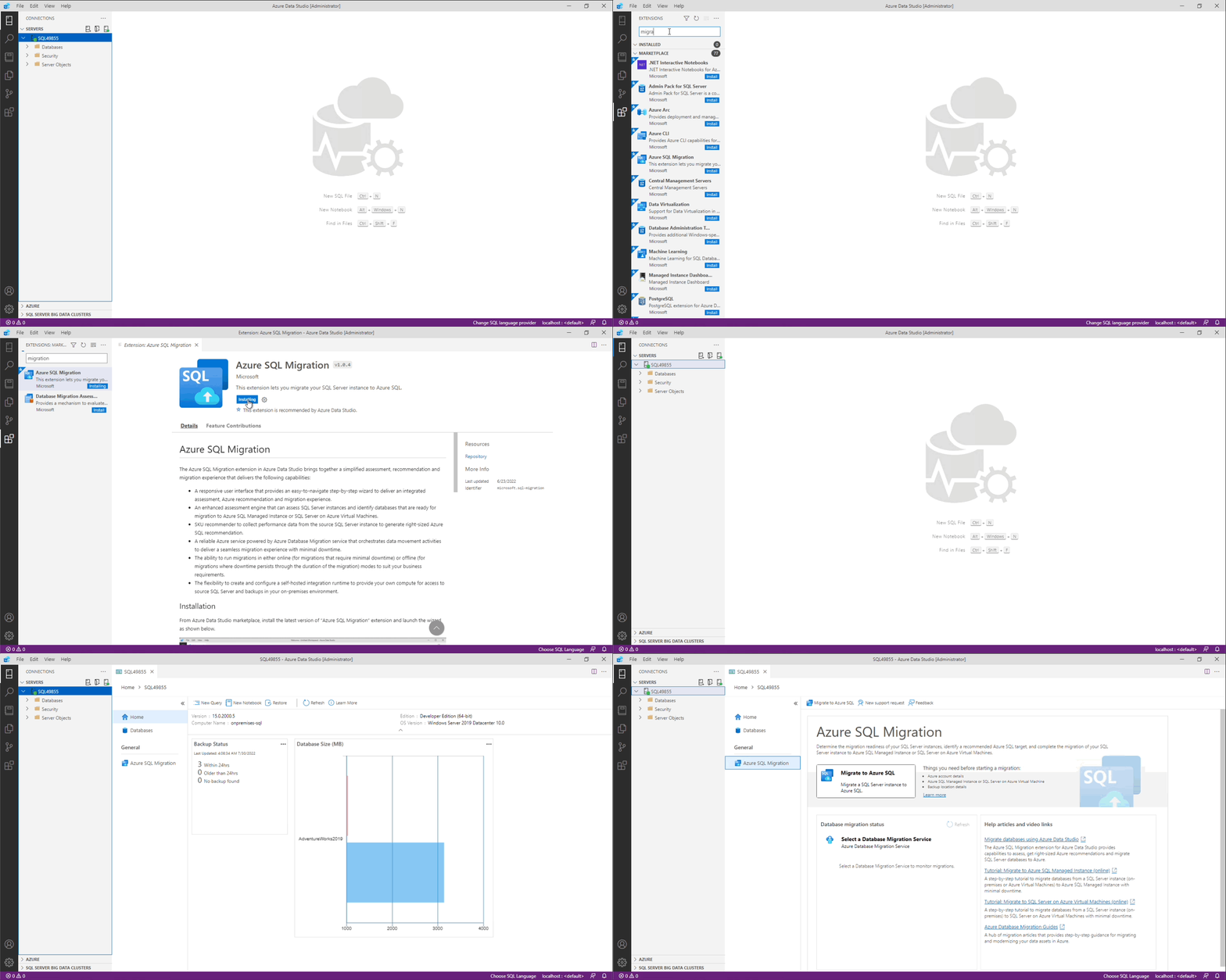
Things you need before starting Azure SQL migration
- Azure account details
- Azure SQL Managed Instance or SQL Server on Azure Virtual Machine
- Backup location details
Getting started
Refer to getting started document (https://aka.ms/ads-sql-migration) for detailed documentation on capabilities and current limitations.
Need assistance or have questions/feedback
Please reach out to DMSFeedback@microsoft.com
Code of Conduct
This project has adopted the Microsoft Open Source Code of Conduct. For more information see the Code of Conduct FAQ or contact opencode@microsoft.com with any additional questions or comments.
Privacy Statement
The Microsoft Enterprise and Developer Privacy Statement describes the privacy statement of this software.
License
Copyright (c) Microsoft Corporation. All rights reserved. Licensed under the Source EULA.