 Aasim Khan
ca07671a68
Aasim Khan
ca07671a68
* - Adding mouse in and out styling to clickbale divs
-Moving dashboard card styling to outer div container from inner form container

* removing detect changes

* Localizing aria label

* moving css from template to styles

* adding themeing participant to change hover styling

* removing unused event handlers

* separating styling
Azure SQL Migration
Azure SQL Migration extension can be used to determine readiness of your SQL Server instances, identify a recommended Azure SQL target, and complete the migration of your SQL Server instance to Azure SQL Managed Instance or SQL Server on Azure Virtual Machine.
Installation
From Azure Data Studio extension gallery, install the latest version of “Azure SQL Migration” extension and launch the wizard as shown below.
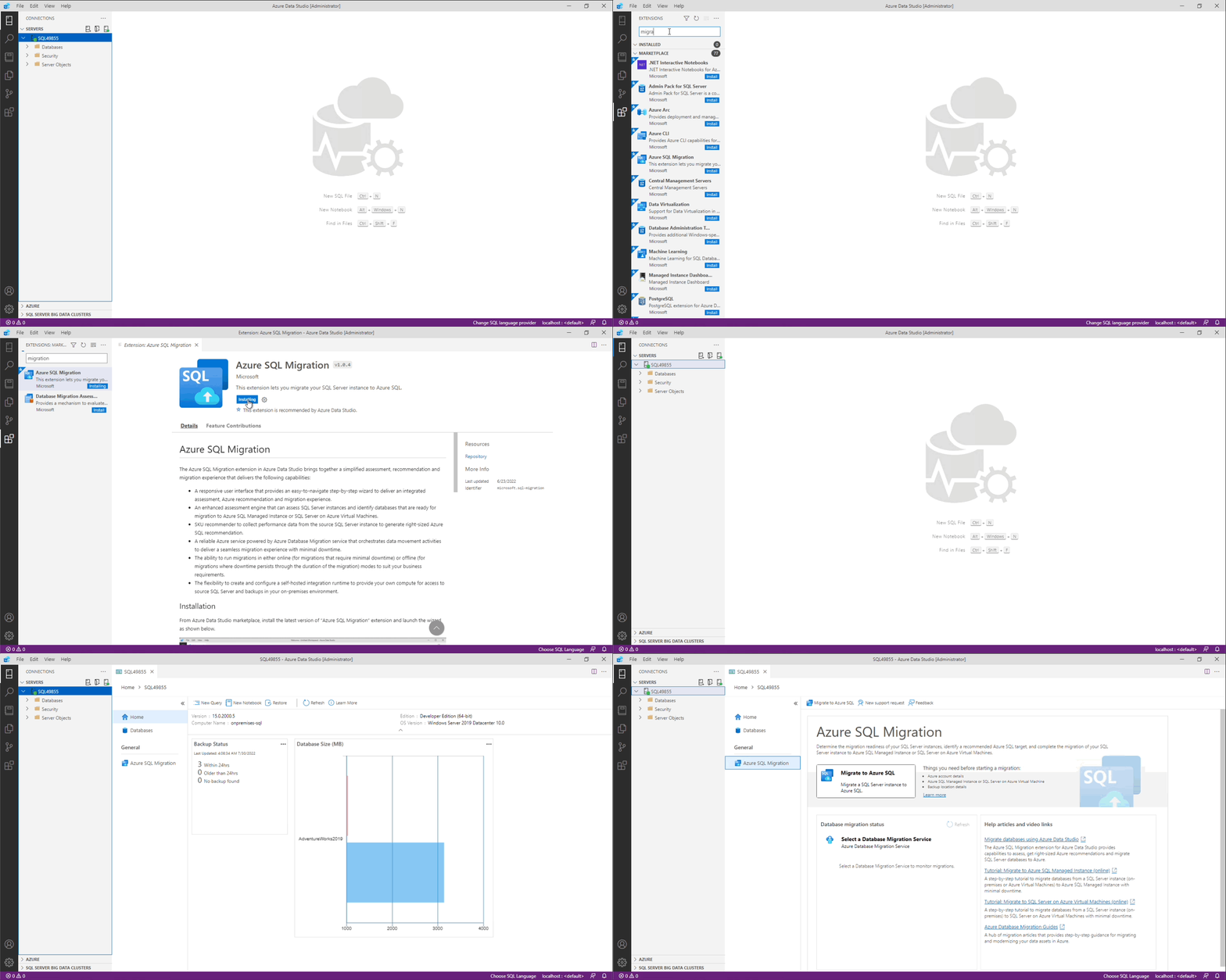
Things you need before starting Azure SQL migration
- Azure account details
- Azure SQL Managed Instance or SQL Server on Azure Virtual Machine
- Backup location details
Getting started
Refer to getting started document (https://aka.ms/ads-sql-migration) for detailed documentation on capabilities and current limitations.
Need assistance or have questions/feedback
Please reach out to DMSFeedback@microsoft.com
Code of Conduct
This project has adopted the Microsoft Open Source Code of Conduct. For more information see the Code of Conduct FAQ or contact opencode@microsoft.com with any additional questions or comments.
Privacy Statement
The Microsoft Enterprise and Developer Privacy Statement describes the privacy statement of this software.
License
Copyright (c) Microsoft Corporation. All rights reserved. Licensed under the Source EULA.