 2bc6a0cd01
* Merge from vscode 504f934659740e9d41501cad9f162b54d7745ad9

* delete unused folders

* distro

* Bump build node version

* update chokidar

* FIx hygiene errors

* distro

* Fix extension lint issues

* Remove strict-vscode

* Add copyright header exemptions

* Bump vscode-extension-telemetry to fix webpacking issue with zone.js

* distro

* Fix failing tests (revert marked.js back to current one until we decide to update)

* Skip searchmodel test

* Fix mac build

* temp debug script loading

* Try disabling coverage

* log error too

* Revert "log error too"

This reverts commit af0183e5d4ab458fdf44b88fbfab9908d090526f.

* Revert "temp debug script loading"

This reverts commit 3d687d541c76db2c5b55626c78ae448d3c25089c.

* Add comments explaining coverage disabling

* Fix ansi_up loading issue

* Merge latest from ads

* Use newer option

* Fix compile

* add debug logging warn

* Always log stack

* log more

* undo debug

* Update to use correct base path (+cleanup)

* distro

* fix compile errors

* Remove strict-vscode

* Fix sql editors not showing

* Show db dropdown input & fix styling

* Fix more info in gallery

* Fix gallery asset requests

* Delete unused workflow

* Fix tapable resolutions for smoke test compile error

* Fix smoke compile

* Disable crash reporting

* Disable interactive

Co-authored-by: ADS Merger <karlb@microsoft.com>
Kusto (KQL) extension for Azure Data Studio (Preview)
Connect and query Azure Data Explorer (Kusto) clusters and databases with Azure Data Studio, a modern data editor available for Linux, MacOS, and Windows. This extension enables you to interact with Kusto using Azure Data Studio features like:
- Connect to Azure Data Explorer anywhere.
- Searchable object explorer view for database objects.
- Query authoring and editing with Intellisense and syntax highlighting.
- Create a notebook with Kusto.
- View query results and save to CSV, JSON, XML, Excel, or as a chart.
For more information, visit the Kusto (KQL) extension for Azure Data Studio documentation.
Connect to an Azure Data Explorer cluster
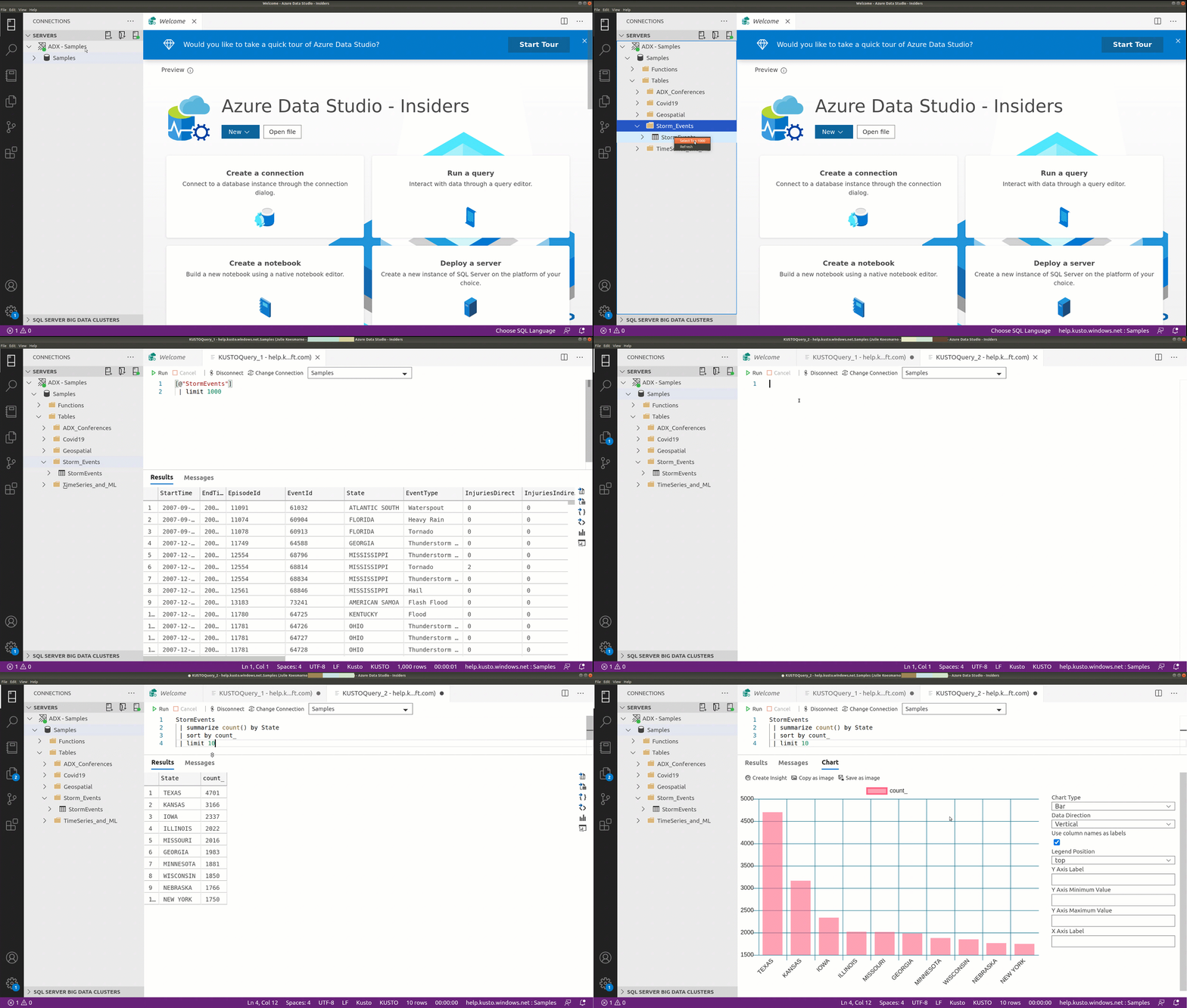
You can connect to an Azure Data Explorer cluster with Azure Data Studio.
Select New Connection and choose Kusto for the Connection Type.
Once connected to a cluster, you can start writing a KQL query, run it and a view the results to save it to CSV, JSON, XML, Excel, or as a chart as shown below.
Create notebooks using the Kusto Kernel
You can run Kusto in a notebook with Azure Data Studio.
Select on Create notebook to create a new notebook in Azure Data Studio.
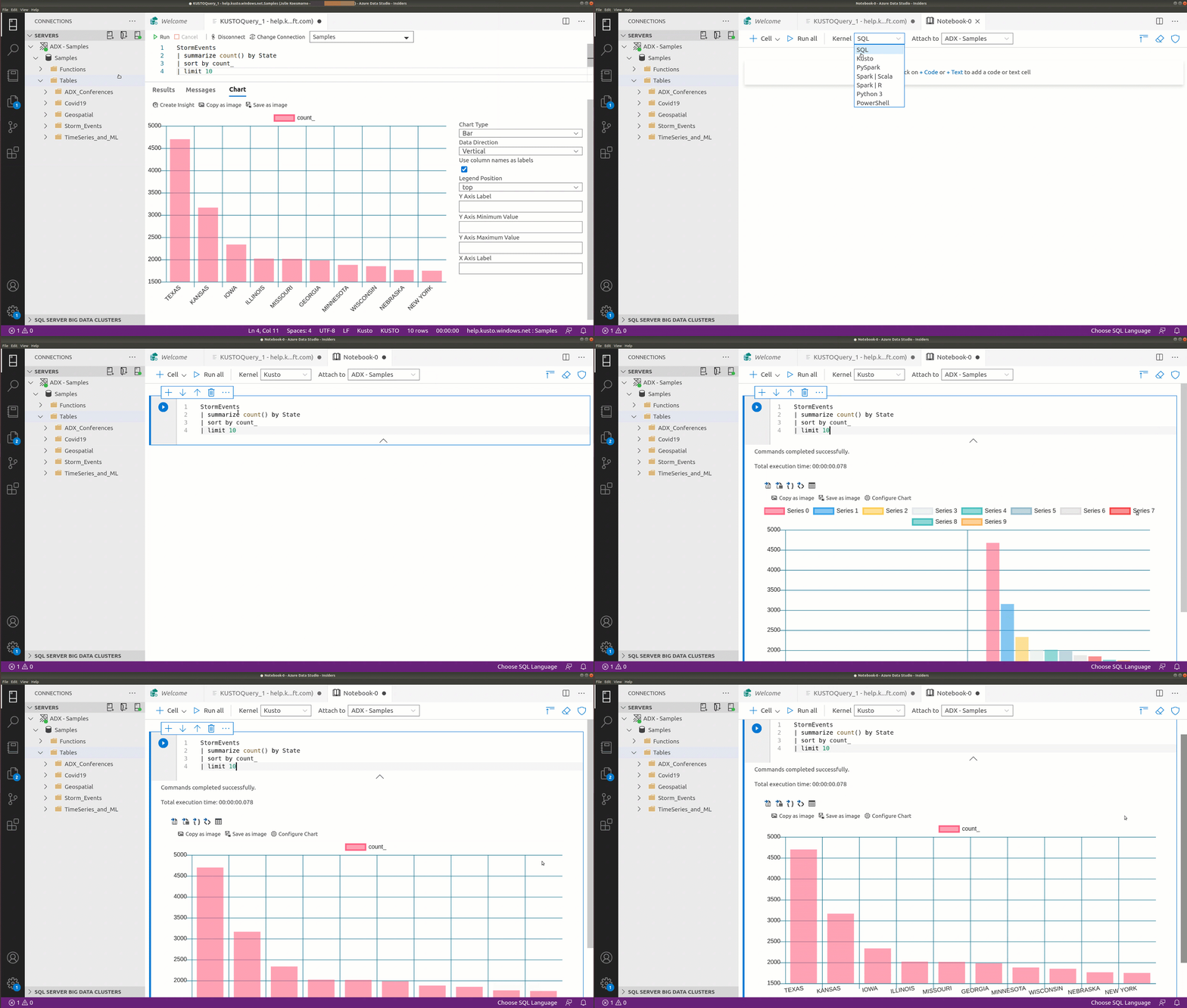
For more information, see Create and run a Kusto (KQL) notebook.
Contributing to the Extension
This extension lives in the azuredatastudio repo and follows the same guidelines for contribution. If you are interested in fixing issues and contributing directly to the code base, see the document How to Contribute, which covers the following:
- How to build and run from source
- The development workflow, including debugging and running tests
- Submitting pull requests
Code of Conduct
This project has adopted the Microsoft Open Source Code of Conduct. For more information see the Code of Conduct FAQ or contact opencode@microsoft.com with any additional questions or comments.
Privacy Statement
The Microsoft Enterprise and Developer Privacy Statement describes the privacy statement of this software.
License
Copyright (c) Microsoft Corporation. All rights reserved.
Licensed under the Source EULA.