 3cb2f552a6
* Merge from vscode a348d103d1256a06a2c9b3f9b406298a9fef6898

* Fixes and cleanup

* Distro

* Fix hygiene yarn

* delete no yarn lock changes file

* Fix hygiene

* Fix layer check

* Fix CI

* Skip lib checks

* Remove tests deleted in vs code

* Fix tests

* Distro

* Fix tests and add removed extension point

* Skip failing notebook tests for now

* Disable broken tests and cleanup build folder

* Update yarn.lock and fix smoke tests

* Bump sqlite

* fix contributed actions and file spacing

* Fix user data path

* Update yarn.locks

Co-authored-by: ADS Merger <karlb@microsoft.com>
Azure SQL Migration
Azure SQL Migration extension can be used to determine readiness of your SQL Server instances, identify a recommended Azure SQL target, and complete the migration of your SQL Server instance to Azure SQL Managed Instance or SQL Server on Azure Virtual Machine.
Installation
From Azure Data Studio extension gallery, install the latest version of “Azure SQL Migration” extension and launch the wizard as shown below.
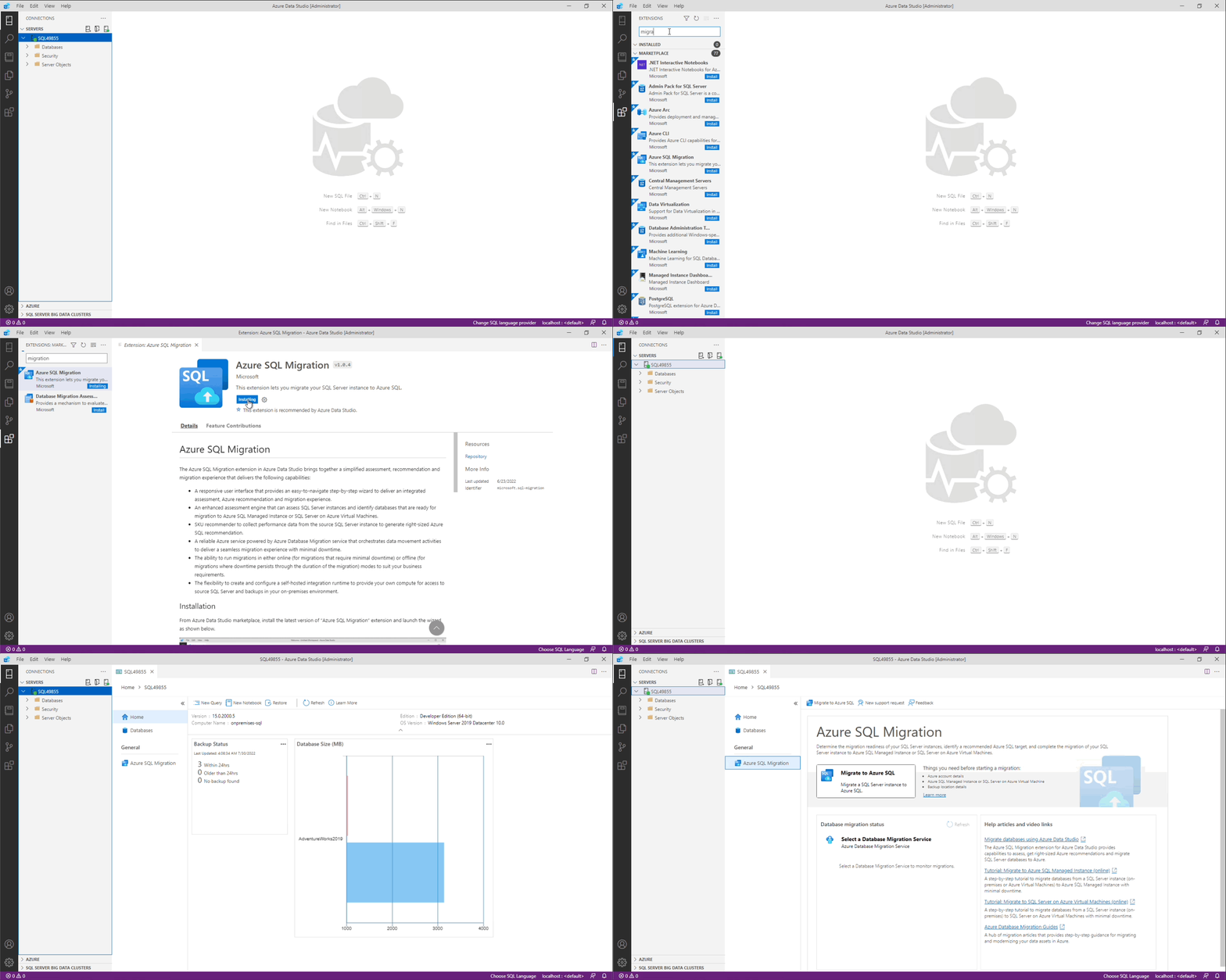
Things you need before starting Azure SQL migration
- Azure account details
- Azure SQL Managed Instance or SQL Server on Azure Virtual Machine
- Backup location details
Getting started
Refer to getting started document (https://aka.ms/ads-sql-migration) for detailed documentation on capabilities and current limitations.
Need assistance or have questions/feedback
Please reach out to DMSFeedback@microsoft.com
Code of Conduct
This project has adopted the Microsoft Open Source Code of Conduct. For more information see the Code of Conduct FAQ or contact opencode@microsoft.com with any additional questions or comments.
Privacy Statement
The Microsoft Enterprise and Developer Privacy Statement describes the privacy statement of this software.
License
Copyright (c) Microsoft Corporation. All rights reserved. Licensed under the Source EULA.